
Download MyOffice – Free, Secure, All‑In‑One Office Suite for Windows, Mac, Android & iOS
Overview
MyOffice Standard is a comprehensive office suite that bundles four essential productivity apps into a single, easy‑to‑install package. Whether you need to write a report, crunch numbers, create a slide deck, or simply view PDFs, MyOffice delivers a familiar interface that feels instantly comfortable for new users and seasoned professionals alike. The suite includes MyOffice Text for word processing, MyOffice Spreadsheet for data handling, MyOffice Presentation for slide shows, and MyOffice Documents for file management and PDF viewing.
All four apps share a unified update system, meaning you never have to hunt for separate patches or worry about version mismatches. In addition, the suite integrates tightly with cloud services, allowing you to recover, sync, and share files directly from the internet. This makes MyOffice a trustworthy companion for home users, students, and small businesses that need a cost‑effective, cross‑platform solution without sacrificing performance or compatibility.
Key Features and What Sets MyOffice Apart
- Four‑in‑One Package: One download provides a word processor, spreadsheet editor, presentation creator, and PDF/document manager.
- Broad File Compatibility: Open, edit, and export DOC, DOCX, ODT, XODT, XLS, XLSX, ODS, PPT, PPTX, PDF and many other common formats.
- Cloud Integration: Directly attach files from popular cloud services, save to the cloud, and print without leaving the app.
- Unified Update Center: All four apps receive updates from a single location, ensuring consistent performance and security.
- Intuitive Interface: Uses a standard office layout that reduces the learning curve for users transitioning from other suites.
- Enterprise Extensions: Optional MyOffice Standard 2 adds an email client; MyOffice Private Cloud 2 offers on‑premise collaboration and storage modules.
- Custom Font Library: Includes XO_Fonts, metric analogs of popular typefaces, for consistent document styling.
- Cross‑Platform Support: Available for Windows, macOS, Android, and iOS, with seamless file exchange between devices.
Installation, Setup, and Daily Usage
Getting MyOffice up and running is straightforward. Begin by visiting the official MyOffice website and clicking the Download MyOffice Standard button that matches your operating system. The installer is a lightweight .exe for Windows, .dmg for macOS, and an .apk for Android; iOS users can download the app directly from the App Store.
After the download completes, run the installer and follow the on‑screen prompts. The wizard asks you to choose an installation directory (the default works for most users) and whether you want to create desktop shortcuts for each component. Once installed, the MyOffice hub appears, offering quick access to Text, Spreadsheet, Presentation, and Documents.
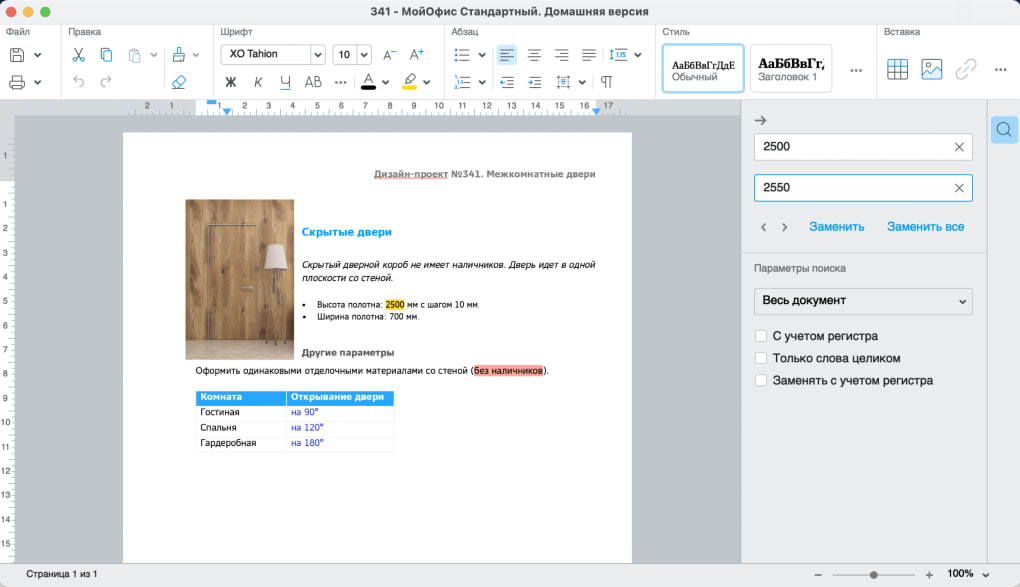
When you launch MyOffice Text, you’ll see a familiar ribbon toolbar. Import a document by dragging a file onto the workspace or using File → Open. The editor automatically detects the file type and loads the appropriate formatting.
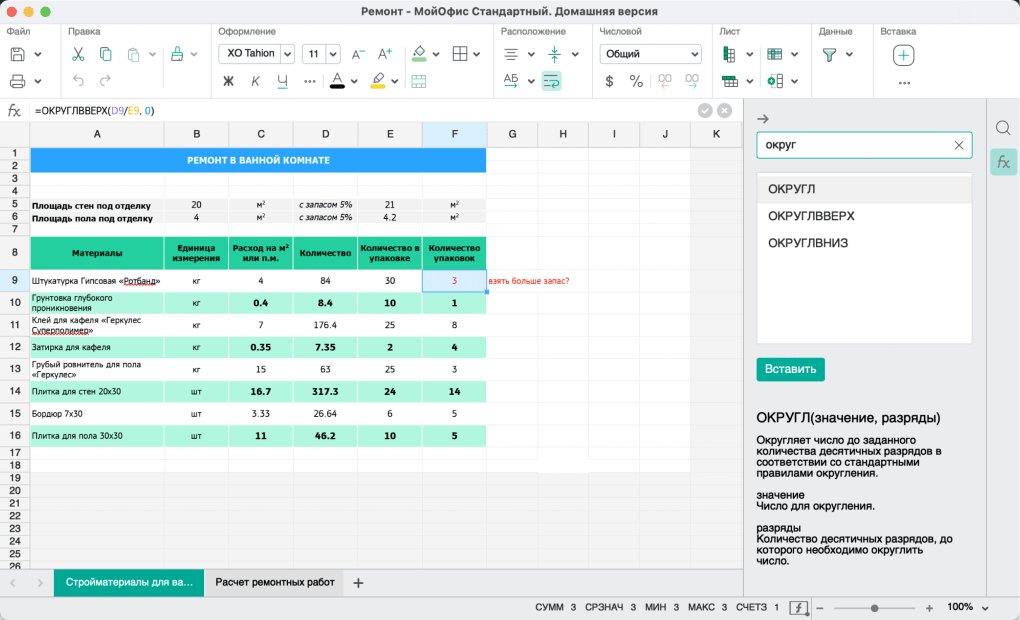
For spreadsheets, the same workflow applies; you can insert formulas, create charts, and export data to CSV or ODS. Presentations open with a slide navigator that lets you rearrange slides with drag‑and‑drop. The Documents app functions as a lightweight file explorer: create folders, rename files, or send a selected document directly to a cloud service with a single click.
Because MyOffice integrates with cloud storage, you can enable automatic backup in the settings panel. Choose your preferred provider (Google Drive, Dropbox, OneDrive, etc.), sign in, and designate a sync folder. From that point on, every file you save is mirrored to the cloud, providing instant recovery if your device fails. The suite also includes a built‑in PDF viewer that supports annotation, highlighting, and secure printing.
Compatibility, Pros & Cons, and Expert Review
MyOffice Standard runs natively on Windows 10/11, macOS 10.14 and later, Android 8.0+, and iOS 13+. The same installer package works across desktop and mobile platforms, ensuring that teams can collaborate without platform barriers.
Pros
- All essential office tools in one free download.
- Extensive support for legacy and modern file formats.
- Unified update mechanism reduces maintenance effort.
- Seamless cloud integration for backup and sharing.
- Lightweight installation footprint compared with larger suites.
- Enterprise‑level add‑ons available for email and private cloud.
Cons
- Presentation editor offers limited advanced design features.
- No built‑in macro or scripting support for spreadsheets.
- Collaboration is basic; real‑time co‑editing is only in premium add‑ons.
- Customer support is primarily community‑driven for the free version.
MyOffice delivers a solid, no‑frills office experience that covers the daily needs of most users. Its strength lies in the simplicity of a single installer and the breadth of file compatibility. While power users may miss advanced presentation tools and macro capabilities, the suite’s lightweight nature and free price point make it an attractive alternative to costly competitors. The optional enterprise modules add flexibility for growing businesses without forcing everyone to pay for features they never use.
Frequently Asked Questions
Is MyOffice really free?
Yes, the MyOffice Standard Home Edition is free to download and use. Advanced features such as the email client and private cloud are offered as optional paid upgrades.
Can I open Microsoft Office files without issues?
MyOffice supports DOC, DOCX, XLS, XLSX, PPT, and PPTX formats natively, ensuring high fidelity when opening or saving Microsoft Office documents.
How does cloud backup work?
In the Settings menu you can link your preferred cloud service. Once linked, every file saved in MyOffice is automatically synced to the selected cloud folder, providing real‑time backup and cross‑device access.
Is there a mobile version for Android and iOS?
Yes, MyOffice offers native apps for Android and iOS. The mobile apps include all four core components, optimized for touch interaction and offline editing.
What kind of support is available for the free edition?
Free users have access to community forums, an online knowledge base, and regular software updates. Paid customers receive priority email support and optional on‑site training.
Conclusion & Call to Action
MyOffice Standard proves that a powerful office suite doesn’t have to come with a hefty price tag. By bundling word processing, spreadsheet, presentation, and document management tools into one secure, regularly updated package, it offers a reliable alternative for students, freelancers, and small teams. The intuitive interface, extensive file support, and built‑in cloud sync make daily tasks effortless, while optional enterprise modules provide a clear upgrade path as your organization grows.
If you’re looking for a free, cross‑platform office solution that balances simplicity with essential features, download MyOffice today and experience a streamlined workflow without the burden of multiple installations.







